Workflows & Alerts
Flagging a concern should be
the beginning, not the end.
When a concern is filed in Pulse, it doesn't land in an inbox. It routes to the right person, creates a trackable action item, and stays open until someone closes the loop. You see the status. The person who flagged it gets confirmation. Nothing falls through.
Every concern tracked from flag to resolution.
Trigger
Voice report received
Route to
School Counselor (on duty)
Send alert
Push notification + dashboard
If unresolved after
48 hrs → escalate to admin
The real competitor is email
Email scatters accountability across inboxes. No one can see the full picture.
Email works for one-to-one communication. It breaks down when a concern needs to be routed, tracked, and proven closed. You can't see which concerns across your organization are still open. You can't tell from an inbox who acted and when. And when your board, HR, or auditor asks for documentation, you're assembling it from forwarded threads. Pulse replaces fragmented email chains with a single system of record.
A concern filed in Pulse is immediately visible to everyone with permission to see it. No inbox dependency.
Every action taken is timestamped and attributed. You can always answer: who acted, and when.
Open concerns stay visible in the dashboard until they are closed. Nothing silently expires.
When your auditor asks for documentation, the complete record is already there. Not assembled from email threads.
How Workflows & Alerts work
Three steps. Fully automatic. Every concern closed.
A concern is flagged.
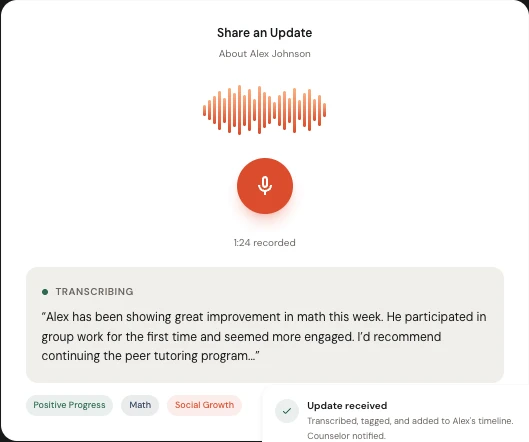
Someone on your team submits a concern by voice, form, or direct input. Pulse captures it with a timestamp, type classification, and the person or situation involved.
Pulse routes it automatically.
Based on concern type, the person involved, and your workflow configuration, Pulse assigns the concern to the right responder and sends an alert. No manual triage. No inbox monitoring.
The loop closes. The record proves it.
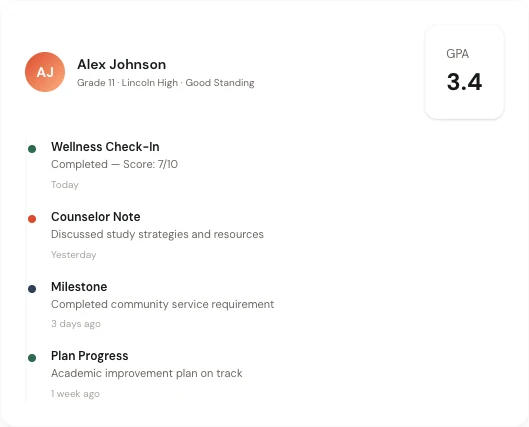
Every action taken is logged with a timestamp. The person who flagged the concern gets confirmation. The leader sees resolution status in the dashboard. The audit trail is complete.
Trigger
Voice report received
Route to
School Counselor (on duty)
Send alert
Push notification + dashboard
If unresolved after
48 hrs → escalate to admin
What's different about Pulse workflows
Accountability that holds, automatically, without a coordinator checking in.
Most workflow tools require someone to check whether the loop was closed. Pulse builds the accountability in. If a concern stays open past a configurable threshold, the system escalates automatically. The leader doesn't have to chase it.
For compliance documentation, HR records, and board reporting, the audit trail Pulse generates isn't something you assemble manually. It's a byproduct of daily use. It exists because your team worked, not because someone compiled it. Required for any formal compliance audit.

When Workflows & Alerts matter most
Any time you need proof that a concern was acted on.
Compliance documentation
Auditors and oversight bodies require documented evidence that concerns were reviewed and acted on within defined timeframes. Pulse generates this record automatically, as a byproduct of daily use.
HR documentation
When a concern involves a team member, you need a clear record of what was flagged, when it was received, and what actions were taken. Pulse creates it.
Board reporting
Your board wants to know that your support system works. Pulse shows them how many concerns were filed, how fast they were addressed, and how many were resolved.
Response time accountability
When a concern goes unaddressed, the system escalates. You set the threshold. Pulse enforces it automatically, without anyone having to check.